

Ultimate Guide to Proxy Scraping Tools
Checking prices on a competitor’s website only to be stopped by a sudden “Verify you are human” pop-up is a calculated defense system, not a glitch. Websites actively monitor your digital footprint, including your IP address, and block access if they detect excessive activity from a single location. Without the right tools, gathering public data online is like repeatedly hitting an invisible wall. How do I find the best datacenter proxies?
Smart researchers use a proxy scraper to bypass these barriers. Just as a “secret shopper” checks prices without alerting the owner, a proxy acts as a digital middleman, wearing a different identity mask for every request. Mastering these web scraping basics allows you to collect valuable information, like travel fares or real estate listings, without triggering security alarms.
Finding the best proxy scraper efficiently unlocks this data. While manual copying can take days, automated tools utilizing rotating identities finish the job in minutes. We have analyzed the top solutions for 2025 to help you bypass IP bans and gather the insights needed for smarter business decisions, ensuring you spend less time fighting CAPTCHAs and more time utilizing data.
The ‘Digital Mask’: Why Your Home IP is a Red Flag
If you walked into a local coffee shop fifty times in one hour to check menu prices, the owner would suspect you of malfeasance and ask you to leave. Websites operate similarly using “rate limiting.” Since your IP address acts as a digital fingerprint, servers track your visit frequency. If you make requests too quickly—like refreshing a product page repeatedly—the security system flags your behavior as robotic.
Once a website deems your activity unsafe, it adds your digital address to a “blacklist.” This permanent ban prevents your computer from accessing the site entirely. For a business owner gathering market data, this is disastrous, cutting off access to critical information.
Before a total ban, websites usually provide subtle warnings:
- Frequent CAPTCHAs: Constant requests to identify crosswalks to prove humanity.
- Sudden Slowdowns: The site works on phone data but crawls on home Wi-Fi.
- “403 Forbidden” Errors: A stark white page with an error message replaces content.
Bypassing these hurdles requires changing your digital appearance instantly. This necessitates understanding the difference between the engine that collects data and the fuel that hides your identity.
Proxy vs. Scraper: The ‘Fuel and the Car’ Analogy
Beginners often believe they need only one tool for data collection, leading to wasted budget. Buying a data collector without an IP mask is like buying a sports car with an empty tank; it looks sophisticated but stalls immediately.
The scraper is the vehicle. This software robot navigates to a website, clicks buttons, and copies text or images into a spreadsheet based on your instructions. Without a mask, this robot is recognized by security and stopped.
The proxy acts as the fuel. It provides rotating digital identities allowing the vehicle to move without detection. To build a robust setup, professionals usually connect these two components: the extraction software and the anonymous network. While some tools combine them, selecting them separately often ensures better reliability.
With the dynamic clear, you might seek public lists of IP addresses to fuel your machine. However, “free” on the internet often carries a hidden price tag regarding personal security.
Are Free Proxies a Secret Trap?
Using a public proxy list is comparable to plugging a random USB drive found on the sidewalk into your work computer. You don’t know where it has been or what it contains. When beginners ask if free proxies are safe, the honest answer is no. Someone pays for the electricity and hardware to run those servers; if they aren’t charging you, they are likely profiting from your data.
Security experts call this a “Man-in-the-Middle” attack, effectively a tapped phone line. Since traffic travels through the proxy’s server before reaching the target, the owner can inspect everything sent. While you scrape public data, unknown administrators may harvest your private information.
Common risks in free lists:
- Credential Theft: Capturing usernames and passwords.
- Ad Injection: Inserting unwanted pop-ups or malware.
- Data Modification: Altering pricing or text data, rendering research useless.
- Identity Association: Using your connection for illegal acts traced back to you.
Performance issues also plague these lists. Finding reliable public proxies is like finding a needle in a haystack; most are overcrowded, slow, or blocked. Safe, efficient data collection requires a trusted source, necessitating a choice between the raw speed of datacenter IPs or the stealth of residential connections.
Speed vs. Stealth: Datacenter and Residential Proxies
Datacenter proxies live in massive server farms. These IPs are fast and affordable, generated in bulk by cloud providers like AWS or Google Cloud. For simple tasks with low security—like accessing a public database—datacenter IPs work well due to their low price. However, because they originate from commercial facilities, sophisticated websites easily spot them. It is like trying to blend into a neighborhood while driving a branded delivery truck.
Residential proxies are the digital equivalent of borrowing a neighbor’s Wi-Fi. These IPs are assigned by Internet Service Providers (ISPs) like Comcast or Verizon to actual homeowners. Routing traffic through a residential IP makes you look like a regular person browsing from a living room. This “human-like” quality is essential for targeting high-security sites like Amazon or Instagram. The higher cost pays off by bypassing blocks that datacenter proxies cannot handle.
The Trade-off:
- Datacenter IPs: High speed, low cost, high detection risk (Best for lenient sites).
- Residential IPs: Moderate speed, higher cost, high stealth (Best for strict sites).
Even a perfect residential IP will get banned if it requests 1,000 pages in a minute. This brings us to the strategy of constantly changing your digital costume.
The Costume Change: IP Rotation Strategies
Walking into a physical store ten times in a minute to buy the same item makes a shopkeeper suspicious. Websites react identically. If you request too much data too quickly from a single address, security systems flag the behavior. IP rotation solves this by automatically switching your IP address for every new request, essentially changing your digital outfit before re-entering the store. This prevents websites from connecting your actions, allowing you to bypass IP bans effectively.
Not every task requires a constant change. Sometimes you need a sustained conversation with a website, like logging into an account. For this, “sticky sessions” keep your identity consistent. Conversely, “rotating sessions” are perfect for gathering prices or reviews rapidly where anonymity is priority. Modern automated software manages this balance, selecting the right duration based on the goal.
Implementing smart rotation transforms data collection from a battle against error messages into a smooth operation. Industry data suggests automated rotation drops block rates by over 80%. Instead of solving CAPTCHAs, your tools run uninterrupted.
From List to Lead: How Automated Harvesting Functions
Manually finding thousands of working phone numbers for market research is impossible before data becomes obsolete. Automated proxy harvesting software continuously scours the internet for open connection points, acting like a digital metal detector. Instead of wasting hours searching questionable websites, the software runs a continuous dragnet, pulling potential IP addresses from public sources and private networks.
The four-step validation cycle:
- Discovery: The tool crawls forums and lists to locate potential addresses.
- Testing: It “pings” each address to check responsiveness.
- Filtering: Slow, dangerous, or non-functional connections are discarded.
- Rotation: Working proxies are added to your active pool.
This background filtration prevents “dead” proxies from freezing your data collection. However, a working connection must also speak the same digital language as the target website.
SOCKS5 vs. HTTP Protocols
Using the wrong proxy type for heavy data lifting is inefficient. The HTTP protocol functions like a specialized interpreter for web pages. It handles standard tasks effectively, interpreting headers and content to ensure pages load correctly.
SOCKS5 offers versatility and privacy. Think of it as a secure, sealed tunnel; it transports any data—videos, emails, files—without looking inside or interpreting it. This “hands-off” approach prevents the server from altering traffic, offering better security for sensitive tasks.
SOCKS5 is superior for:
- Managing social media accounts requiring strict location consistency.
- Streaming live video or heavy media files.
- Bypassing strict firewalls or CAPTCHAs.
Selecting the correct protocol prevents your digital disguise from slipping. Yet, even a secure proxy is useless if it responds too slowly.
Why Latency is the Silent Project Killer
Consider hiring a messenger to check prices at a local store versus one across the ocean. The local messenger returns instantly; the international trip creates a massive delay. This delay, known as latency or “ping,” kills productivity. High latency turns a quick task into an all-day process.
Physical location influences speed. A server in London connects to a UK news site faster than a server in Tokyo. To avoid frustration, perform real-time latency testing on potential servers. This check measures response time in milliseconds, allowing you to discard sluggish connections.
Reliability also depends on the source. Paid services maintain hardware for speed, while free lists are often overcrowded. Using free sources requires aggressive filtering to find the few fast servers hidden among the slow ones.
Finding Reliable Public Proxy Directories
Most “free” sites recycle dead servers, leading to immediate blocks. Success requires finding public lists maintained by active communities or automated scanners. A fresh list represents access; a stale one is digital clutter.
Signs of a quality directory:
- Real-Time Updates: Lists refreshed every few minutes, not days.
- Uptime Percentages: Metrics showing server stability.
- Anonymity Levels: Clear labels distinguishing “Elite” privacy from transparent servers.
Even high-quality directories contain a mix of gems and duds. You must filter the “Elite” proxies from the rest.
Sorting ‘Elite’ Proxies from the Garbage
Grabbing a proxy from a list doesn’t guarantee privacy. A low-quality server is like a clear plastic mask; the website sees right through it. A validation tool tests every server to ensure it truly hides your identity.
Proxy Privacy Levels:
- Transparent (Level 3): Forwards requests but reveals your real IP. Zero privacy.
- Anonymous (Level 2): Hides your IP but tells the target you are using a proxy. Often triggers CAPTCHAs.
- Elite (Level 1): Completely masks identity, appearing exactly like a standard user.
For scraping, anything less than “Elite” is a liability. Sophisticated sites like Amazon or LinkedIn detect and block non-elite connections immediately.
Automation 101: Automated List Updates
Public servers often go offline within minutes. Relying on manual updates creates a bottleneck. Configuring software to replenish inventory in the background ensures the project never runs out of fuel.
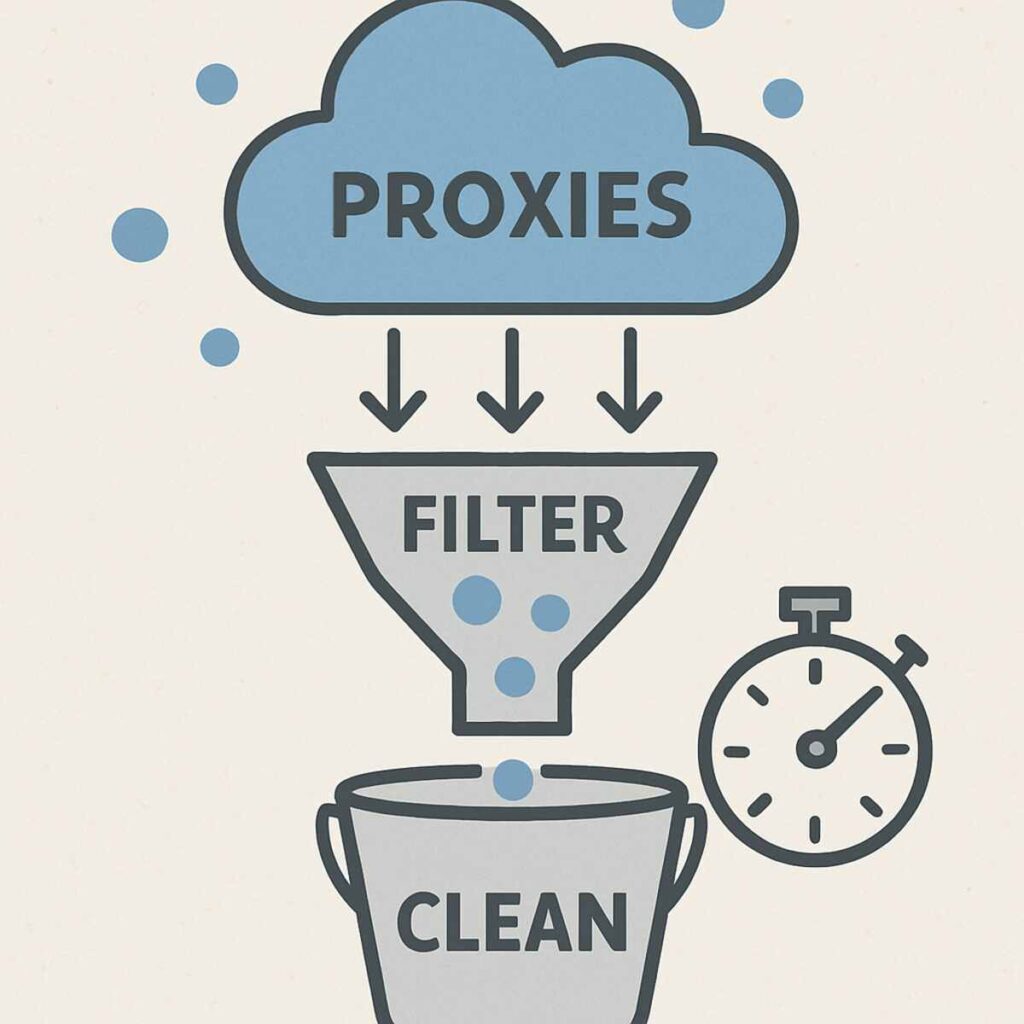
Standard automation workflow:
- Select Sources: Choose trusted websites from the tool’s menu.
- Set Filters: specific “Elite” anonymity and preferred country.
- Define Interval: Set refresh timer (e.g., every 10-60 minutes).
- Set Export Path: Save the “clean” list to a specific file.
- Connect Tool: Point the scraper to that file.
This “set it and forget it” workflow allows focus on analysis rather than connection monitoring. However, scaling to thousands of requests requires a different approach.
Large-Scale Scraping: Managing 1,000+ Proxies
Scaling data collection multiplies complexity. Managing a massive text file of IPs for category-wide retail monitoring is inefficient. Reliance on free lists for thousands of requests leads to blocks.
The industry solution is the “backconnect” proxy gateway. This acts as a single magic doorway changing its destination every time. Instead of loading 1,000 addresses, you enter one gateway address. The system handles rotation behind the scenes, routing requests through fresh IPs automatically.
Optimization strategies for large scale scraping:
- Hybrid Approach: Use free proxies for lenient sites; save premium backconnect bandwidth for strict sites.
- Smart Caching: Store data locally to avoid re-downloading pages within 24 hours.
- Targeted Extraction: Block media files (images/videos) to reduce data usage by up to 80%.
The ‘Point and Click’ Era: Top No-Code Tools
Browser extensions and desktop apps have transformed data collection into a visual experience. These tools handle technical tasks—navigating, rotating IPs, organizing text—while you click elements to save. If you can browse the web, you can operate a scraping operation.
Accessible No-Code Tools:
- Octoparse: Features “auto-detect” mode to organize data into Excel.
- ParseHub: Handles complex sites with maps or infinite scroll.
- WebScraper.io: Lightweight browser extension for quick tasks.
DIY vs. Buying: Is Custom Building Worth It?
Building a custom crawler seems financially smart but compares to building a car from parts. You become responsible for every breakdown. For general users, the cost is the hours spent fixing software rather than analyzing data.
Websites update layouts and security constantly. A minor update can break a home-brewed script. Commercial tools treat maintenance as their responsibility, ensuring the system adapts to new roadblocks.
Decision Factors:
- Frequency: Daily use requires constant maintenance.
- Target Difficulty: Social media platforms require advanced handling.
- Resource Focus: Is the goal to learn coding or grow a business?
Protocol Detection: Automatic Settings
Plugging a device into a wall outlet works because the plug adapts. Automatic proxy protocol detection does this for data collection. Previously, users manually sorted lists by protocol (HTTP vs SOCKS). Modern tools remove this barrier by testing connection types automatically.
The software initiates digital handshakes, sending test signals to determine the server’s protocol. It then configures itself to match. This allows mixing proxy types in a single list without stalling the system, transforming a complex networking task into a simple user experience.
Real Estate and E-Commerce Applications
Online retail prices fluctuate constantly. Businesses use proxy scrapers to automate surveillance, instantly spotting price drops or stock shortages. Routing checks through different IPs gathers intelligence without triggering anti-bot defenses.
Housing market analysis applies this to location data. Investors aggregate thousands of listings to find average prices per square foot. The best proxy scrapers rotate connections so traffic appears as thousands of local homebuyers rather than one automated computer.
Business Advantages:
- Optimize Margins: Adjust prices to undercut competitors while protecting profit.
- Spot Trends: Identify hot markets or products early.
- Automate Inventory: Receive alerts when suppliers restock.
Avoiding the ‘Bot Police’: User-Agent Management
Websites look for more than just location. If your IP address changes but your digital ID card (“User-Agent”) says “Automated Script,” you will be blocked. A quality scraper swaps these ID cards, identifying as an iPhone, Windows laptop, or Mac to ensure traffic looks natural.
Websites also analyze “digital fingerprints,” including screen resolution and fonts. Advanced tools synchronize these details. If using an IP in Tokyo, the scraper aligns time zone and language settings to Japan, preventing technical inconsistencies that reveal amateur collectors.
Legal and Ethical Scraping
Technical ability does not imply legal right. Distinguish strictly between public data (prices, stock levels) and private data (passwords, emails).
Check the robots.txt file on any target site. This file acts as a “House Rules” sign, explicitly stating which areas automated visitors may enter. Respecting these rules prevents accidental trespassing.
Ethical Principles:
- Public Data Only: Never scrape behind login screens or harvest personal details.
- Respect Speed Limits: Slow down requests to mimic human browsing; do not overwhelm servers.
- Read the Rules: Check robots.txt and Terms of Service.
Staying Ahead in 2025: AI and Human Emulation
Security systems now use AI to analyze “digital body language”—scroll speed, mouse movement—to spot robotic patterns. Rigid, precise scraping tools are blocked regardless of proxy quality.
The future of scraping lies in “human emulation.” Tools for 2025 offer features that adjust browsing speeds and add natural pauses. Instead of clicking links identically every time, intelligent tools introduce hesitations and random jitters, making activity appear human. This handles the cat-and-mouse game, allowing smooth data collection.
Your 5-Step Action Plan
Using modern tools is more like setting up an email campaign than writing code. You provide instructions, and the tool handles the heavy lifting.
The “Monday Morning” Workflow:
- Define Target: Be specific (e.g., “Competitor prices from Amazon”).
- Select Tool: Choose a visual “point-and-click” interface.
- Choose Fuel: Connect high-quality residential proxies.
- Test Drive: Scrape 10-20 pages to verify accuracy.
- Export and Analyze: Download clean data to CSV for analysis.
Final Checklist: Choosing Your Tool
Finding the right proxy scraper changes how you view the internet, offering keys to gather market insights without technical barriers. Decision-making comes down to valuing time against budget.
Decision Framework:
- The Learner: Browser extensions or pay-as-you-go residential proxies.
- The Side-Hustle: Mid-range tools bundling proxies with easy dashboards.
- The Business Owner: Premium, managed solutions with support and automatic rotation.
The right software runs reliably in the background. If a tool saves five hours of manual entry a week, the subscription pays for itself. Select the solution that matches your current goals and start turning raw web data into a competitive advantage.